
3 Day Prague Itinerary: Google Sheets Template
Matt - June 8, 2026
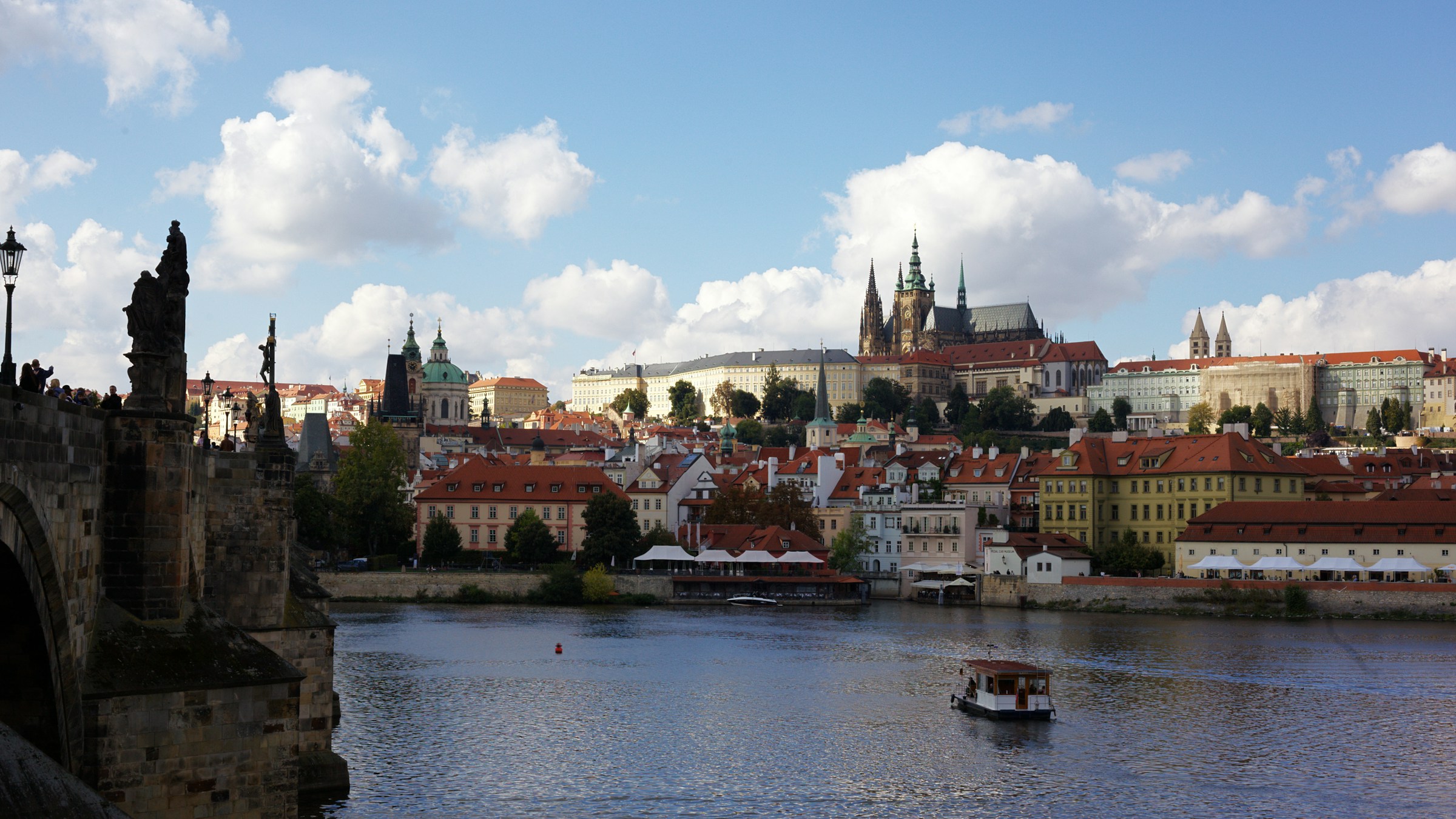
Use this 3 day Prague itinerary to plan a first trip around Old Town, Josefov, Prague Castle, Mala Strana, Petrin, New Town, and Vysehrad without starting from scratch. The Google Sheets template gives you a working itinerary first: dates, times, places, links, notes, costs, checklist items, and optional stops you can keep flexible until the trip takes shape.
Make a copy of the Prague Google Sheets itinerary template. Replace the sample dates with your own travel dates, add your lodging, and keep extra restaurants or viewpoints unscheduled until you know where they fit.

The template is free to use as a spreadsheet. When you want map-based planning tools, install Travel Mapper for Google Sheets to try the full add-on feature set for 7 days, including map view, Google Maps autofill, drag-and-drop itinerary editing, itinerary email, and Google My Maps export. If you do not subscribe after the trial, you can still keep using the basic Google Sheets template.
What this Prague itinerary template includes
- A 3 day Prague itinerary organized around walkable areas and practical daily groupings.
- A practical day-by-day plan for major stops, meals, and transit or departure timing.
- Unscheduled ideas to consider for restaurants, viewpoints, seasonal stops, and day-trip ideas.
- Official visitor links for ticket-sensitive places such as Old Town Hall, Prague Castle, the Jewish Museum in Prague, Petrin Tower, and Vysehrad.
- A Prague checklist for tickets, hotel details, restaurant reservations, weather, transit, and sharing the plan with travel partners.
- A split-cost tab for shared lodging, tickets, meals, local transport, and group expenses.
The important part is that all real trip options stay close to the plan. If a restaurant, viewpoint, or backup activity is still just a possibility, keep it in the itinerary without assigning it to a specific time yet. That makes it easier to decide what actually fits into each day.
Quick route summary
This route is built for a first Prague trip where you want the classic sights, enough room to wander, and a realistic pace across three days.
Day 1 starts in Old Town and Josefov, then finishes around Charles Bridge. Day 2 centers on Prague Castle, Mala Strana, Kampa, and Petrin. Day 3 uses New Town and Vysehrad as the anchor, with room for a lighter final evening or departure logistics.
Use the route as a starting point and adjust it around your reservations and interests. Prague is compact, but cobblestones, hills, ticket timing, winter weather, restaurant reservations, and group energy can change the best order quickly.
Day 1: Old Town, Josefov, and Charles Bridge
Start in Old Town Square so you can orient the trip around a central, walkable area. From there, the template moves to the Old Town Hall with Astronomical Clock, lunch near Old Town, the Jewish Quarter, the Old Jewish Cemetery, Charles Bridge, and dinner nearby.

This grouping works because the day stays close together. You are not trying to combine the Castle side of the river, New Town, and multiple museums into the same first day. That matters in Prague because the best days often come from leaving enough time between landmarks to walk slowly, look into side streets, and adjust when a place takes longer than expected.
For Josefov, use the official Jewish Museum in Prague visitor page before you lock tickets or opening-day assumptions. The template links the museum and Old Jewish Cemetery rows to that official visitor information so the planning details stay attached to the day.
Charles Bridge is placed later in the day because it is easy to combine with Old Town and Josefov, and it gives you a natural bridge into dinner plans. If you want a quieter bridge walk, move this row earlier or leave it as an unscheduled stop and use it when your actual schedule allows.
Day 2: Prague Castle, Mala Strana, Kampa, and Petrin
The second day starts with Prague Castle because it is the biggest anchor in the template. Check the official Prague Castle tickets page before you choose your start time, then keep St. Vitus Cathedral and Golden Lane grouped with the Castle complex.
After the Castle, the template moves downhill toward Mala Strana for lunch, the Lennon Wall, Kampa, and Petrin. This keeps the day mostly on the same side of the river and gives you more flexibility than bouncing back to Old Town after every stop.
For Petrin Tower, check the current Prague City Tourism page for Petrin Tower before building the day around the easiest route up. The official page notes that access details, opening hours, and funicular status can change, so the template keeps Petrin as an afternoon stop you can move or skip if the logistics are not worth it for your trip.
If your group is tired after the Castle, keep the evening light. A short dinner in Mala Strana or Kampa is often a better fit than forcing a long cross-city plan into the night.
Day 3: New Town, Vysehrad, and flexible final plans
Day 3 starts around Wenceslas Square and New Town, then moves toward Powder Gate, lunch near Namesti Republiky, Vysehrad, and a Vltava river walk or casual cruise. This gives the final day a useful mix: city center, views, room to slow down, and space for departure timing if you are leaving Prague that evening.

The template links Wenceslas Square and Vysehrad to Prague City Tourism pages so you can check visitor context while planning. Vysehrad is especially useful as a final-day anchor because it gives you views, historic grounds, and open space.
Keep this day flexible if you have a train or flight. Add luggage timing, airport transfer, or your final dinner to the itinerary instead of keeping those details in a separate message thread.
Optional Prague stops to keep in the itinerary
The Prague template keeps a few extra ideas visible: Letna Park, Strahov Monastery, Klementinum, a food tour, a beer hall or brewery dinner, Christmas markets, Kutna Hora, Cafe Savoy, Lokal Dlouhaaa, and U Kroka.
They are not scheduled yet on purpose. When you decide that Cafe Savoy should become breakfast on Day 2, or Kutna Hora should replace a Prague day, add it to that part of the trip.
This is also where Travel Mapper's Chrome Extension can help during research. If you are looking at places on Tripadvisor, Google Maps, travel blogs, restaurant pages, or booking sites, the Travel Mapper Chrome Extension can help you add promising places into your itinerary from the page you are viewing. You can leave them unscheduled until the plan is ready.
How to customize the Prague spreadsheet
First, add your lodging. The first item is a placeholder for your hotel or apartment, because where you stay changes the best order for mornings, dinners, and transit.
Next, replace the sample dates with your real travel dates. Keep confirmed attractions and meals in the planned schedule, and leave backup ideas unscheduled until they earn a spot.
Then add ticket windows, reservation links, confirmation numbers, and group notes as they become real. Prague is not as complex as a multi-city Japan trip, but ticketed sights, weather, hills, and restaurant timing can still make the difference between a calm day and a rushed day.
Finally, use the Split Costs tab if you are traveling with other people. Keeping lodging, museum tickets, food tours, group dinners, transfers, and local transit beside the itinerary makes shared costs easier to settle.
How Travel Mapper helps after you copy the sheet
The spreadsheet is the planning base. Travel Mapper adds the map layer when you want to see your Prague stops together and decide whether the day order still makes sense.
That is useful for a city like Prague because a day can look reasonable in a list while still crossing the river too many times or stacking too much after a hill-heavy morning. Seeing the itinerary on a map helps you notice awkward grouping before you commit to timed entries or dinner reservations.
Travel Mapper also helps when the plan changes. You can use Google Maps autofill to add place details, fine tune the day with drag-and-drop itinerary editing, email an itinerary summary for easier during-trip reference, and export places to Google My Maps if you want that extra reference.
If you are planning a broader Europe trip, the same workflow also fits the multi-city trip planning guide. For a more general reusable planner, start with the free Google Sheets travel planner template.
Prague itinerary FAQ
This section covers the common planning questions people usually have before they copy the template and start editing.
Is 3 days enough for Prague?
Three days is enough for a first Prague itinerary if you focus on Old Town and Josefov, Prague Castle and Mala Strana, and one more day for New Town, Vysehrad, or flexible favorites. Three days gives you time for Prague's major historic areas, viewpoints, and food stops at a comfortable pace.
Use the extra ideas in the template as a short list of possibilities, then choose what matters most once you know your lodging, ticket windows, and travel pace.
Should I add a day trip from Prague?
Kutna Hora can fit as a day trip, but it usually means giving up part of your Prague time. For a first 3 day trip, keep the day trip as an optional row until you know whether you would rather spend the final day in Prague or leave the city.
If you add a day trip, include the train timing, tickets, meals, and return plan in the itinerary.
Is this Prague itinerary good for winter or Christmas markets?
Yes, but treat winter as a variation rather than a totally separate itinerary. The template includes a Christmas market row with blank date and time so you can schedule it only if the markets are relevant to your travel dates.
In winter, leave more buffer around outdoor viewpoints, walking-heavy routes, and hillier stops like Petrin. Weather and daylight can change how much you want to pack into each day.
Can I use the Prague template without installing Travel Mapper?
Yes. You can copy and use the Google Sheets itinerary for free. It still works as a planning spreadsheet for dates, times, places, notes, links, costs, checklist items, and shared expenses.
Travel Mapper is the upgrade when you want map-based itinerary planning inside Google Sheets: seeing your itinerary on a map, using Google Maps autofill, adjusting the order with drag-and-drop editing, emailing the itinerary, or exporting places to Google My Maps.
Does Travel Mapper automatically optimize a Prague route?
No. Travel Mapper helps you see your itinerary on a map and adjust the plan, but it does not draw connected route lines or automatically optimize every stop for you.
That is intentional for this kind of trip planning. You still decide what matters: a slower lunch, a museum reservation, a scenic walk, or a lighter evening. The map gives you context so those decisions are easier to make.